
Barcode scanner keyboard for Android
ScanKeys puts a barcode scanner inside your keyboard. Tap Scan, point at a label, and the code is typed into whatever field you are in: Shopify, eBay, Google Sheets, Excel, Veeqo, a web form or a chat. Scan barcode to text in any app, with no copy and paste.
- Works in every app that has a text field
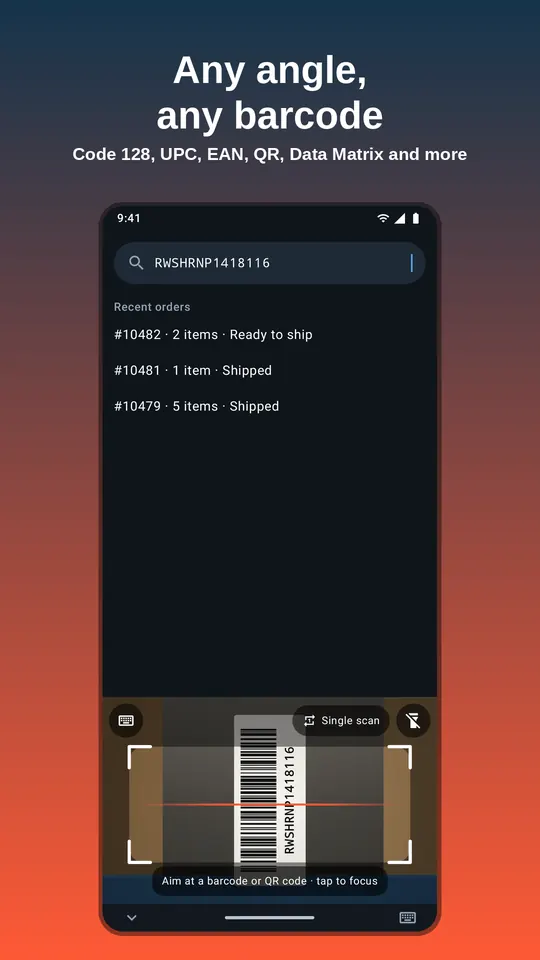
- Reads UPC, EAN, Code 128, QR, Data Matrix and 8 more formats, at any angle
- On-device scanning: offline, and camera images never leave your phone
- Free to use, with an optional Pro upgrade for heavy counting
Android 8.0+. By DixonAppStudio LLC. Pro from $3.99/month, $24.99/year (7-day free trial) or $49.99 once.
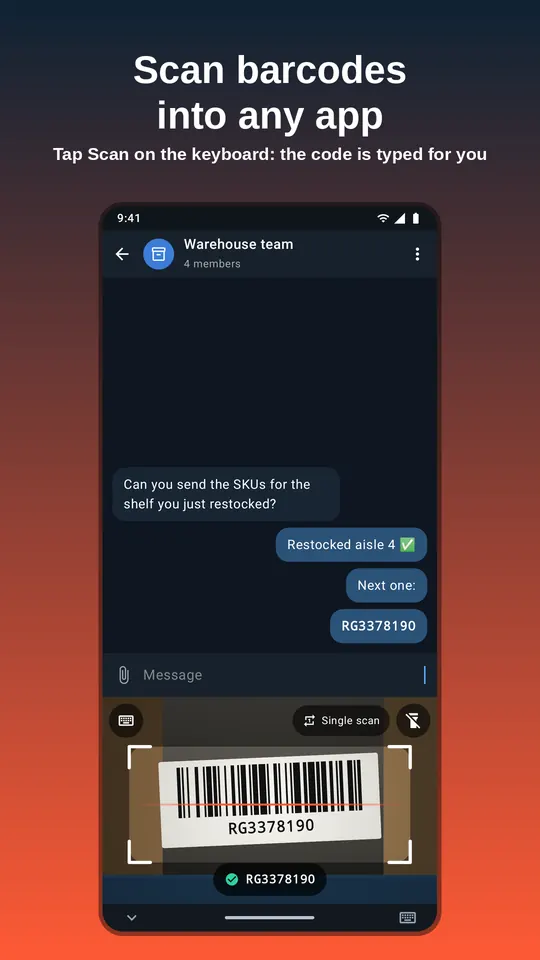
Scan a barcode to text in three taps
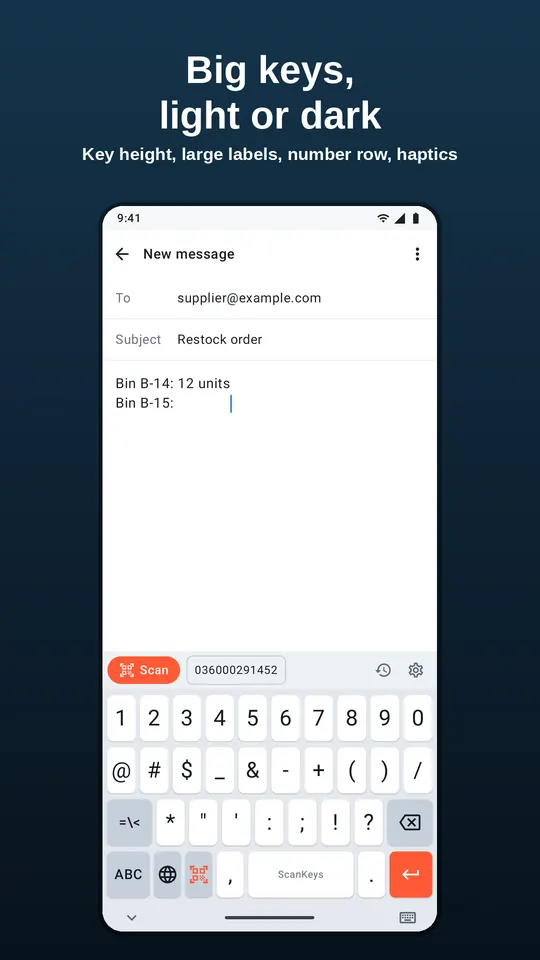
Most “barcode scanner apps” read a code and then show it to you on their own screen. You still have to copy it, switch apps and paste it where it is needed, which is slow and easy to get wrong when you are doing it two hundred times in a stock count. ScanKeys removes that step. It is a full Android keyboard, so it is already open whenever you are typing, and the scanner lives on its top row.
- Tap any text field in any app: a SKU box in Shopify, a cell in Google Sheets, the search bar in eBay, a tracking-number field on a carrier site.
- Tap Scan. The camera opens inside the keyboard, so you can still see the field you are filling.
- Point at the barcode. The moment it is read, the code is typed into the field. Optional Enter, Tab, prefix or suffix are added for you.
That is what IT people call a keyboard wedge: the scanner “wedges” itself between you and the app and pretends to be a keyboard. Hardware wedge scanners cost $100 to $300. ScanKeys does it with the phone you already carry. If you are weighing the two, read our honest ScanKeys vs a Bluetooth barcode scanner comparison.
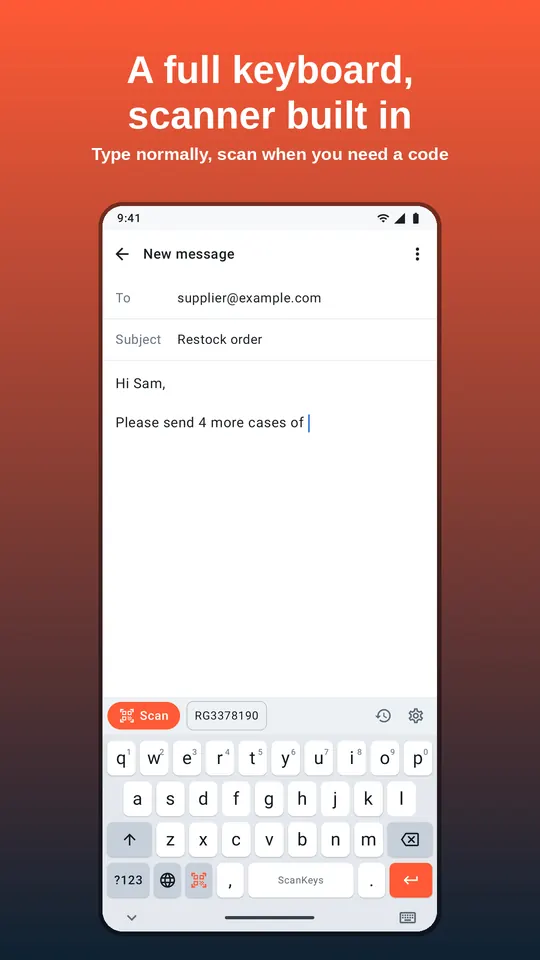
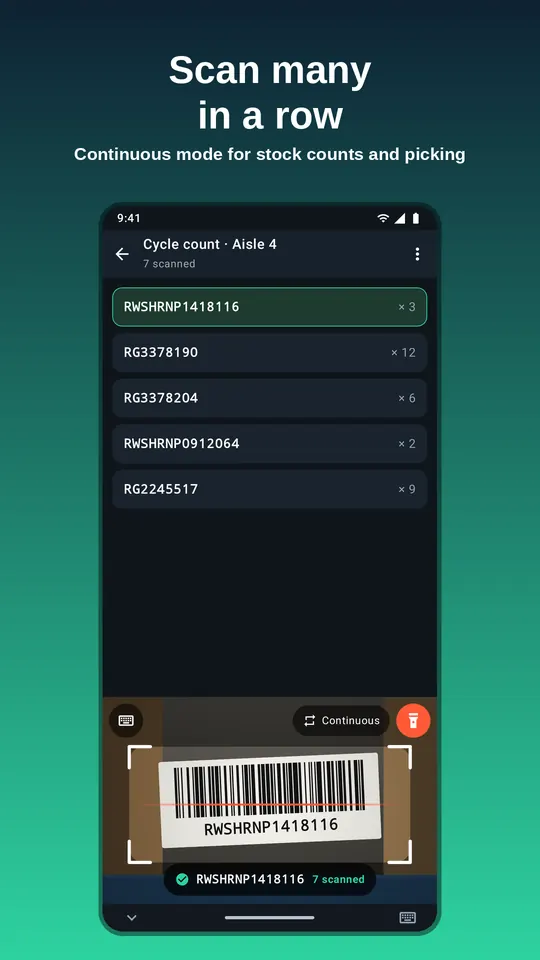
Built for people who type product codes all day
Warehouses and stockrooms
Cycle counts, picking, receiving and putaway with continuous scanning and an inventory count mode.
Spreadsheets
One code per cell, next row automatically, in Google Sheets or Excel.
Every common barcode, at any angle
ScanKeys uses Google’s ML Kit barcode model, bundled inside the app, so it reads the formats you meet on retail packaging, shipping labels, shelf tags and equipment:
- Code 128
- Code 39
- Code 93
- Codabar
- EAN-13
- EAN-8
- UPC-A
- UPC-E
- ITF
- QR Code
- Data Matrix
- PDF417
- Aztec
Labels can be sideways or upside down. When several codes are in view, as on a crowded shelf or a shipping label with three barcodes, the one in the middle of the frame is typed. There is a torch for dark aisles and tap-to-focus for tiny labels. Need a code to test with? Make one with the free barcode generator.
Enter, Tab and smart submit: the code lands where you need it
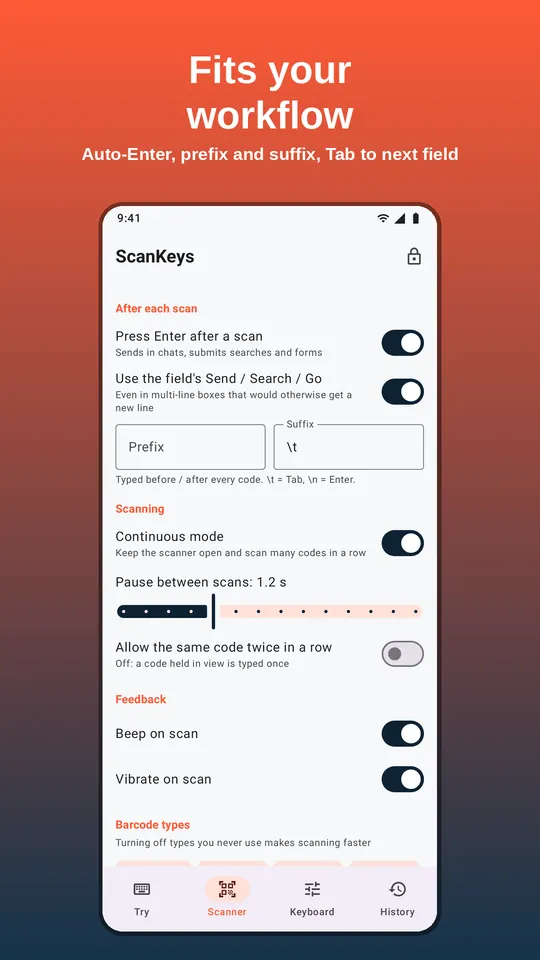
Typing the code is half the job; the other half is what happens next. ScanKeys can press Enter after each scan (on by default), so a search runs or a chat message sends. With smart submit it uses the field’s own action button (Search, Send, Go, Next), which is what web forms and multi-line boxes expect. A prefix and suffix are added to every scan, and the suffix can be \t to jump to the next field or column, or \n to press Enter. The Tab and Enter guide shows the right setting for Sheets, Excel, Shopify and browser forms.
Continuous scanning for counts and picking
Switch the scanner to Continuous and it stays open: scan label after label without touching the screen. An adjustable pause between scans and a duplicate guard mean a code held in front of the camera is typed once, not twenty times, while a separate setting lets you count the same item twice in a row on purpose. Free users get 30 continuous scans a day; Pro removes the limit. Details in the continuous scanning guide.
Private by design
Barcodes are decoded on your phone. The camera runs only while the scanner panel is open, frames are processed and thrown away, and no camera image ever leaves the device. ScanKeys never stores, logs or analyses what you type with the keyboard. Your scan history stays on the phone, is left out of cloud backups, and can be switched off or cleared. Read the full privacy policy.
Free, with an optional Pro upgrade
Single barcode scans are free with no limit, along with Enter after scan, smart submit and 30 continuous plus 10 QR / 2D scans a day. ScanKeys Pro is for people who scan for a living: unlimited continuous and QR / 2D scanning, prefix and suffix templates with Tab and Enter, export of your history to CSV, Google Sheets or any app, an inventory count mode that tallies a count per barcode and exports a CSV for Shopify or Veeqo stock imports, per-app profiles, full scan history and no ads. Pro is $3.99 a month, $24.99 a year with a 7-day free trial, or $49.99 once. Compare Free and Pro.