
ScanKeys features
A complete Android keyboard with a camera barcode scanner on its top row. Here is everything it does, and which parts are in the free app and which need Pro.
Scan to text, in any app
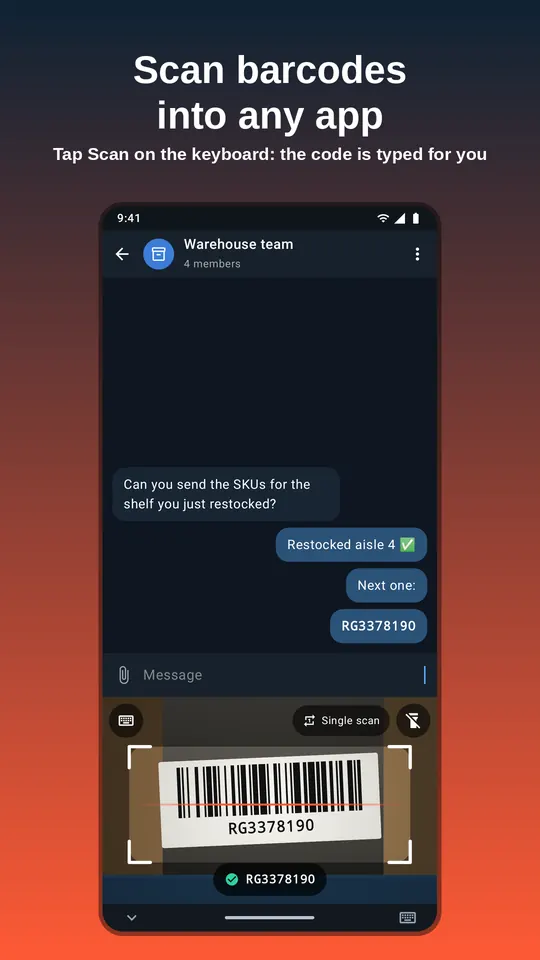
- The Scan key opens the camera right inside the keyboard. You can still see the field you are filling.
- The code is typed into the focused field the moment it is read, the same as if you had typed it.
- Enter after scan (on by default) sends the message, runs the search or submits the form.
- Smart submit uses the field’s own Send, Search or Go action, so multi-line boxes and web forms behave as expected.
- Prefix and suffix on every scan (Pro). Use
\tfor Tab (next field or column) and\nto press Enter. - Works in any app with a text field, from Google Sheets to a carrier’s tracking page.
A scanner built for shelf labels and SKUs
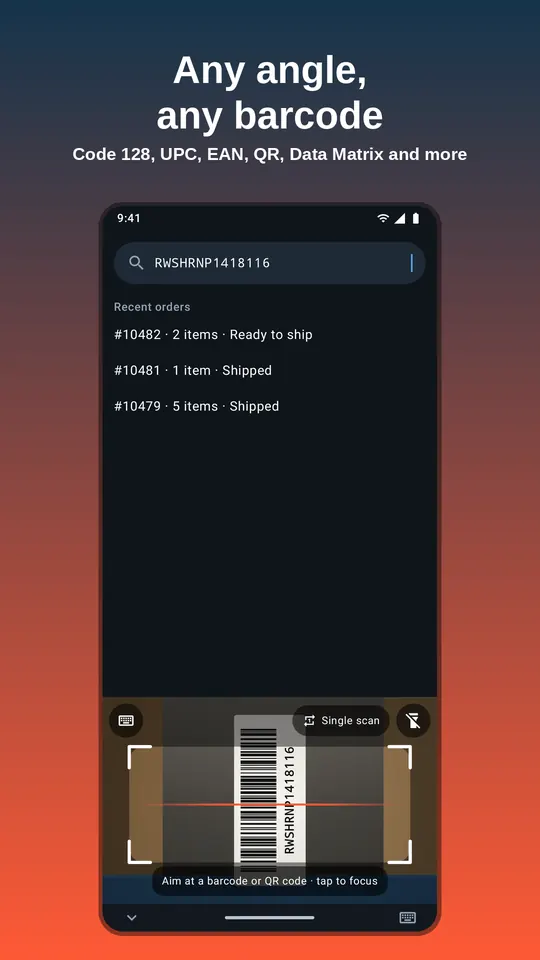
- Reads 13 formats with Google ML Kit, on the phone: Code 128, Code 39, Code 93, Codabar, EAN-13, EAN-8, UPC-A, UPC-E, ITF, QR Code, Data Matrix, PDF417 and Aztec.
- Any angle: sideways and upside-down labels read fine.
- Centre pick: with several codes in view, the one in the middle of the frame is typed.
- Torch for dark aisles and tap to focus for small labels.
- Choose formats: switch off types you never use for faster, cleaner reads.
- Free: unlimited 1D barcodes (UPC, EAN, Code 128…) and 10 QR / 2D scans a day. Pro: unlimited QR, Data Matrix, PDF417 and Aztec.
- Beep and vibration on each scan, both optional.
Continuous (batch) scanning
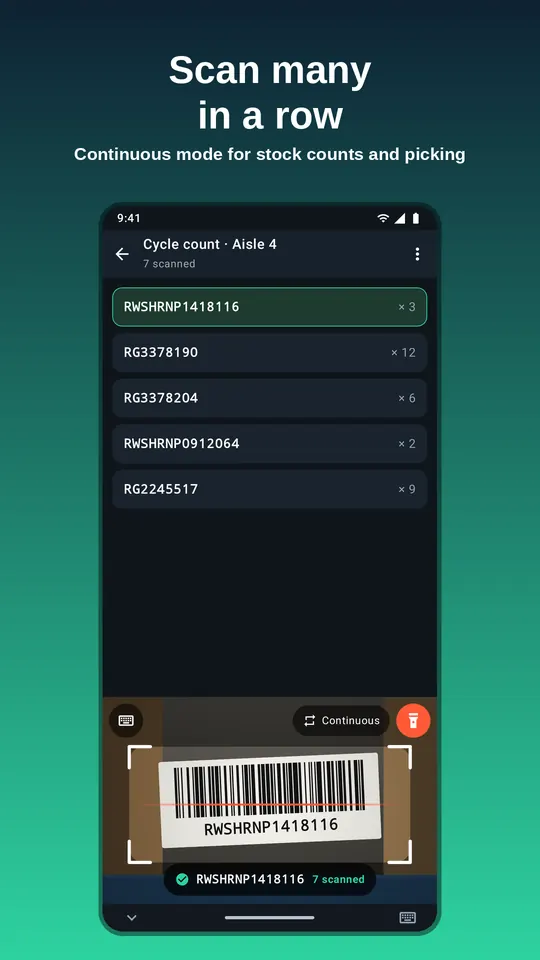
- Keep the scanner open and scan label after label without tapping.
- Adjustable pause between scans so you have time to move to the next item.
- Duplicate guard: a code held in view is typed once. Turn on “allow the same code twice in a row” when you are counting identical items.
- Free: 30 continuous scans a day. Pro: no daily limit.
A real keyboard, too
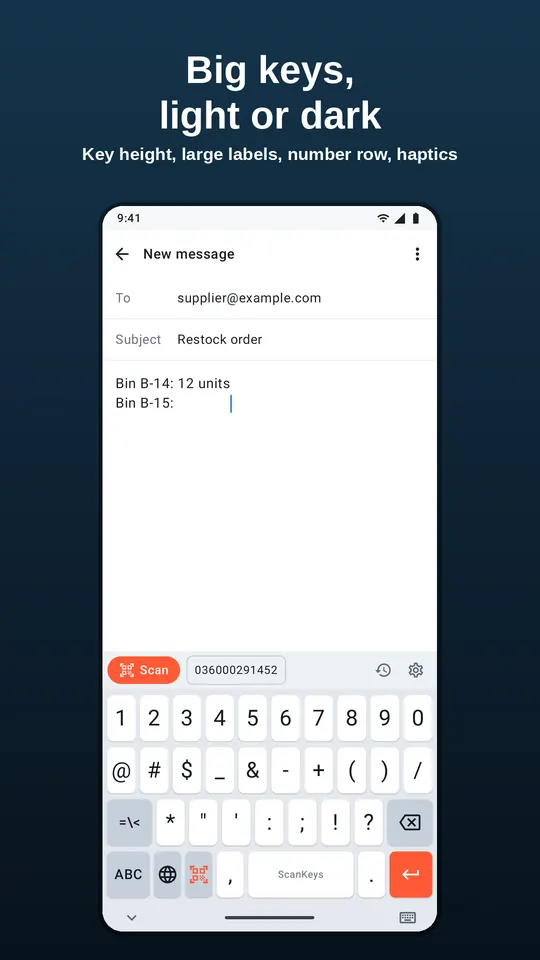
- Full QWERTY with numbers and symbols; long-press for accents and extra symbols.
- Shift and caps lock, auto-capitalisation, double-space for a full stop, hold Delete to repeat.
- Optional number row, four key heights and large key labels: big keys for gloves and quick thumbs.
- Light, dark or system theme, key vibration and sound.
- Globe key to switch back to your usual keyboard in one tap.
Scan history
Every scan is saved to a history panel on the keyboard. Tap a past code to type it again, which is handy when you need the same SKU in two places. The free app keeps your last 20 scans; Pro keeps your full history and lets you export it. History stays on the phone, is excluded from backups, and can be switched off or cleared at any time.
ScanKeys Pro features
Unlimited continuous scanning
No daily cap on batch scans, for full stock takes and long picking runs.
Export
Send your scan history to a CSV file, to Google Sheets, or share it to any app (email, Drive, chat).
Inventory count mode
Tally a count per barcode as you scan, then export a CSV for Shopify or Veeqo stock imports. See how.
Per-app profiles
Different prefix, suffix and Enter behaviour per app: Tab in Sheets, Enter in Shopify search, nothing extra in chat.
Full scan history
Keep every scan instead of the last 20.
No ads
Pro is ad-free. The keyboard itself never shows ads, free or Pro.
Prices and terms are on the pricing page.
Privacy and offline use
ScanKeys decodes barcodes on your phone with a bundled model, so scanning works without signal and no camera image leaves the device. It never records what you type. Full details in the privacy policy.