
Scan barcodes into Google Sheets
With ScanKeys as your keyboard, every barcode you scan is typed into the selected cell in the Google Sheets app, and Enter drops you to the next row ready for the next scan.
The quick version
- Install ScanKeys and switch to it.
- Open your spreadsheet in the Google Sheets app and select cell A2 (keep row 1 for headers).
- Double-tap the cell so the keyboard opens, then tap Scan.
- Point at a barcode. The code is typed into the cell and, with Enter after scan on, Sheets moves to A3.
- Switch to continuous mode and keep scanning down the column.
Keep leading zeros: format the column as text
UPC codes often start with 0, and long codes look like numbers to a spreadsheet. If Sheets shows 36000291452 instead of 036000291452, or 6.01234E+11, the code was stored as a number. Two fixes:
- Select the column, then Format → Number → Plain text before you start scanning. On the phone app this is under the A (format) button → Cell → Number format → Plain text.
- Or set ScanKeys’ prefix to an apostrophe
'. Sheets stores anything that starts with an apostrophe as text and hides the apostrophe.
Several columns: barcode, name, quantity
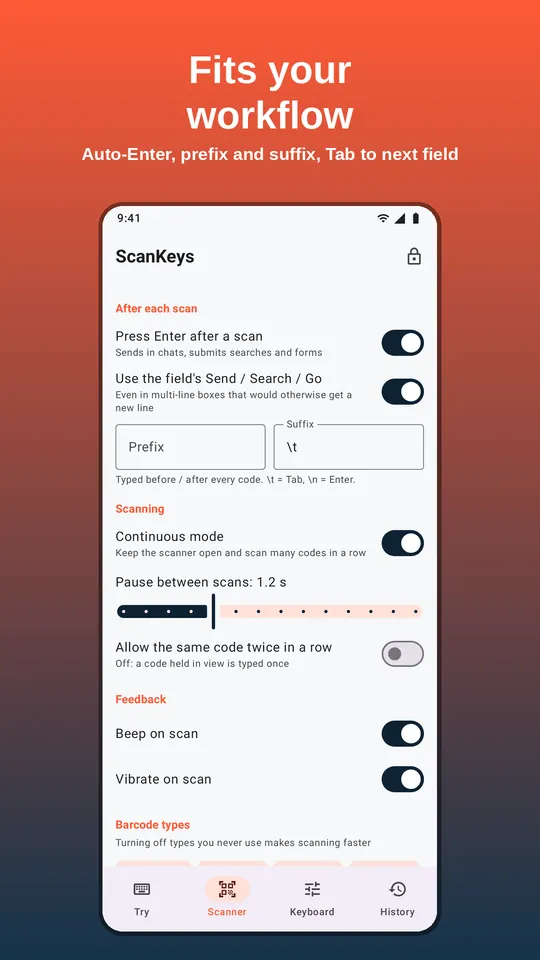
Set ScanKeys’ suffix to \t and turn Enter after scan off. Each scan now types the code and moves one cell to the right, where you can type a quantity or a note. Press Enter on the keyboard to go to the start of the next row. If you always scan two barcodes per row, such as a SKU and a bin label, the Tab suffix fills the row left to right on its own. More options in the Tab and Enter guide.
Useful formulas for scanned lists
- Count each barcode (a quick inventory tally):
=QUERY(A2:A,"select A, count(A) where A is not null group by A label count(A) 'Qty'",0) - Look up a product name from a products tab:
=XLOOKUP(A2, Products!A:A, Products!B:B, "not found") - Flag duplicates:
=IF(COUNTIF(A:A,A2)>1,"duplicate","")
When to use export instead of live scanning
Scanning straight into Sheets needs the sheet open on the phone, and a connection to sync. In a basement or a big warehouse, it can be easier to scan first and send everything at the end. ScanKeys Pro keeps your full scan history on the phone and exports it to Google Sheets, a CSV file or any share target. With count mode, the export is already totalled per barcode.
Frequently asked questions
Do I need an add-on or script in Google Sheets?
Why did my barcode turn into 6.01234E+11?
') so each code is stored as text and leading zeros are kept.Can I scan into two columns, like barcode and quantity?
\t suffix so the cursor moves right after the scan, type the quantity, then press Enter. Or let Pro’s inventory count mode tally the quantities for you and export them.